
Route Student Progress Report
A Chrome Extension for teachers and training centers that generates and sends professional student progress reports straight from Google Sheets, using the instructor's own Gmail account.
Chrome Extension
A Chrome Extension for teachers and training centers that generates and sends professional student progress reports straight from Google Sheets, using the instructor's own Gmail account.
Route Student Progress Report is a Chrome Extension built for instructors, tutoring centers, and educational organizations who track student performance in Google Sheets and need a fast way to turn that data into individual, professional-looking progress reports sent by email.
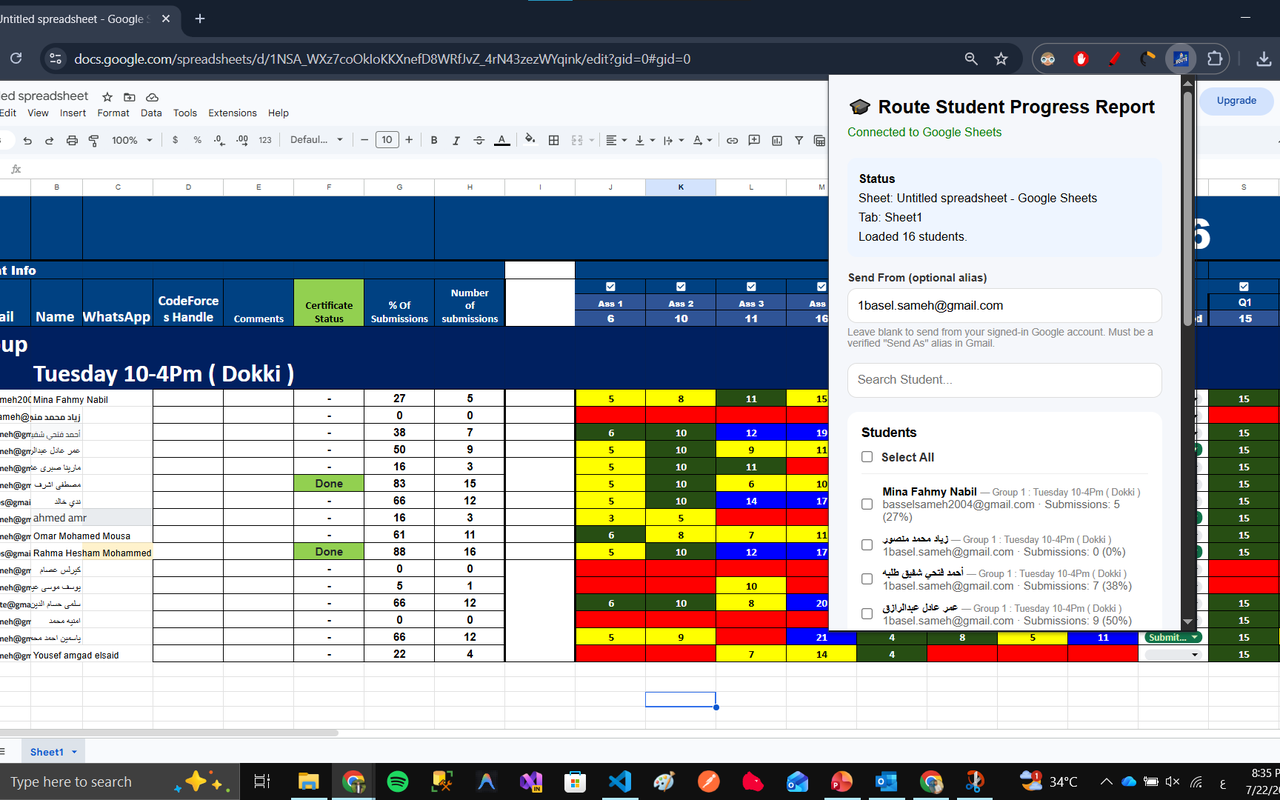
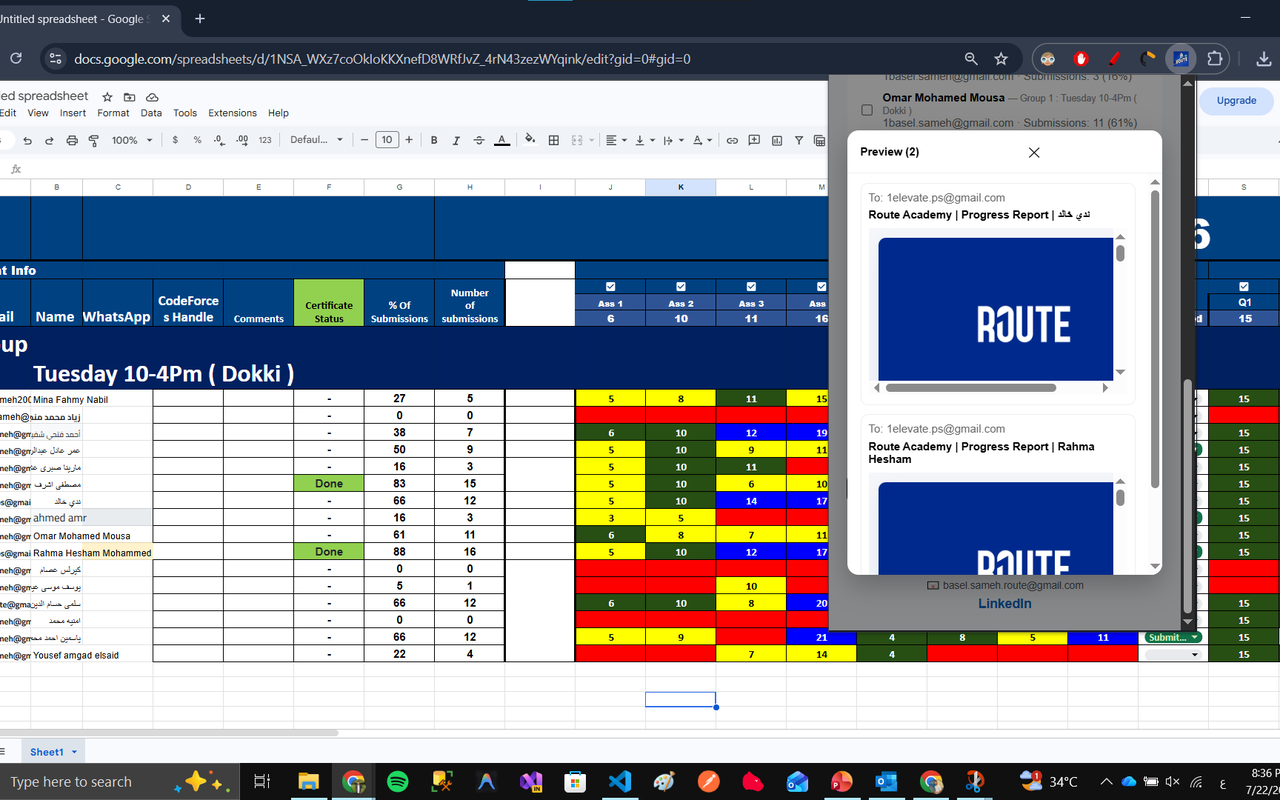
After you install the extension and open a spreadsheet that contains your student data, the extension reads the rows you select, builds a formatted HTML report for each student, and lets you preview it before anything is sent.
When you choose to send, the report is emailed directly from your own Gmail account through Google's official Gmail API. The extension does not run its own mail server and does not relay, copy, or store your emails or spreadsheet data anywhere.
Reads student information directly from your spreadsheet after you grant permission.
Automatically generates a formatted HTML progress report per student.
Every email goes out through your personal Gmail account, not a third-party mail server.
Your student data and email content never pass through, or sit on, any server we operate.
Used only to retrieve the student names, email addresses, grades, attendance, and assignment details that already exist in the spreadsheet you open, so the extension can build the report content. The extension never edits, deletes, or writes anything back to your spreadsheet.
Used only to send the report email you have previewed and explicitly chosen to send, from your own Gmail account. The extension cannot read your inbox, and never sends anything automatically or without your action.
No student information, spreadsheet contents, Gmail messages, or OAuth tokens are ever stored on servers we operate. All processing happens locally in the browser, and every request goes directly to Google's official Sheets and Gmail APIs. You can revoke access at any time from your Google Account permissions page.
Full details are in our Privacy Policy and Terms of Service.
Example interface of the extension.
Developer: Basel Sameh
Email: basselsameh2004@gmail.com
GitHub: https://github.com/Basel638